
Enrollment Procedure SY 2020-2021
Step 1: Register Online
ONLINE REGISTRATION FOR ENROLLMENT
听听听听听听 ACCESS THE LINK
Please click the image to enlarge.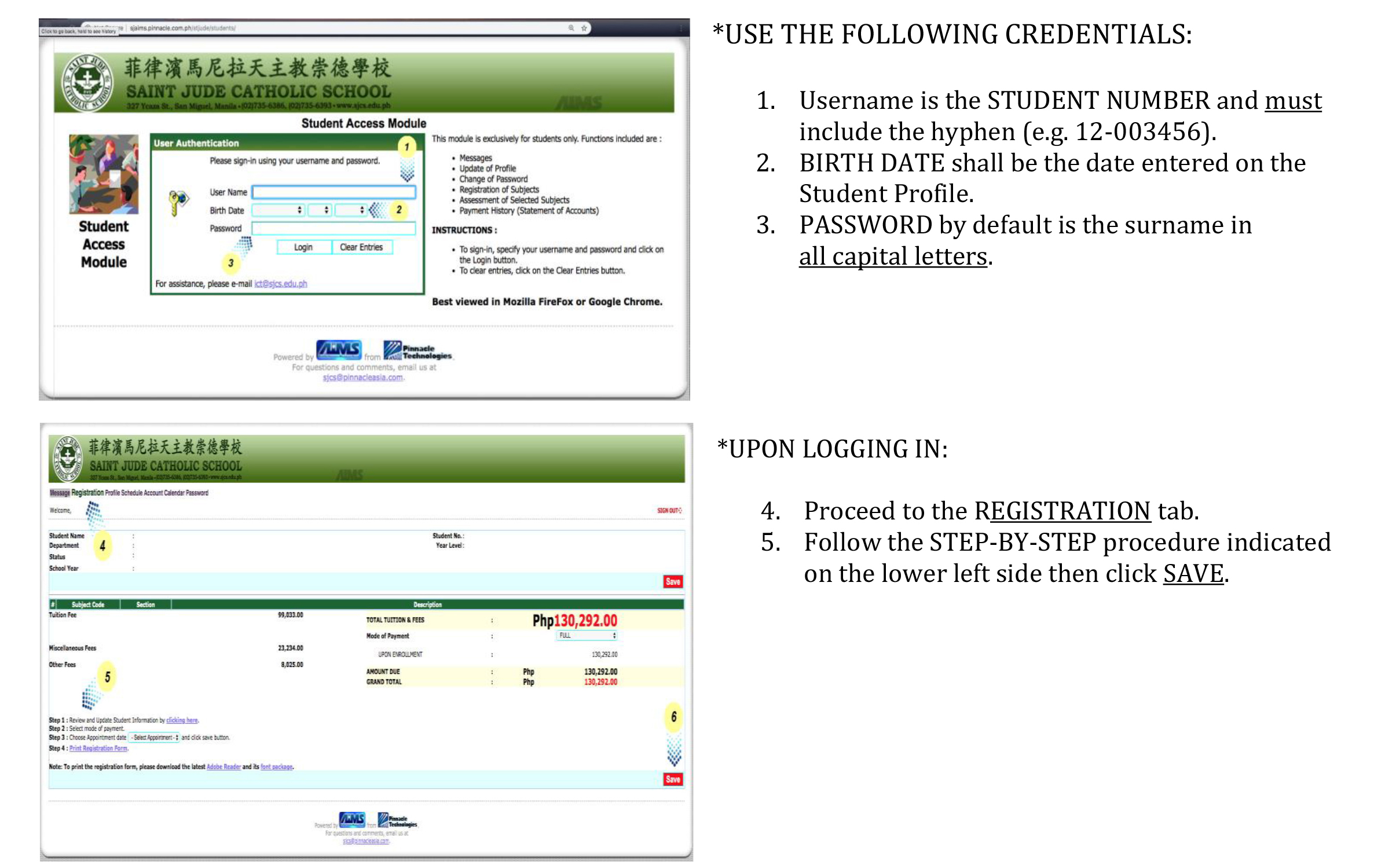
The Appointment Date is the Date of Registration/ Enrollment
Download and print the Registration Form by clicking Print Registration Form.
Fill out the necessary information on the Registration Form and the Data Privacy Consent Form. (Students do not need to sign on the Data Privacy Form.)
听Step 2: Payment
Due to pandemic, parents may enroll and pay online.
Online: Applicable only to those who have Metrobank and PNB account with activated online banking
Click here for the guide:
Over the Counter Payment (At any branch of Metrobank and PNB), kindly use Payment Slip Form. Please see the sample below:
Please click the image to enlarge.
For safety reasons, others may register earlier and settle payment not later than July 15, 2020.
Step 3: Fill out the Google form on this link:
For parents with 2 or more children, please use each of your child鈥檚 蜜桃传媒 Gmail account in filling out the Enrollment Form. Please use this guide to switch account: (Google Chrome browser was used in the demo.)
Step 4: Wait for the confirmation and the Official Receipt to be sent to your child鈥檚 蜜桃传媒 Gmail Account.
*Please note that we can only accommodate 200 transactions per day to avoid server overload. Thank you for your understanding.
You may contact the ICT Office at ict@sjcs.edu.ph for password reset and other technical concerns.